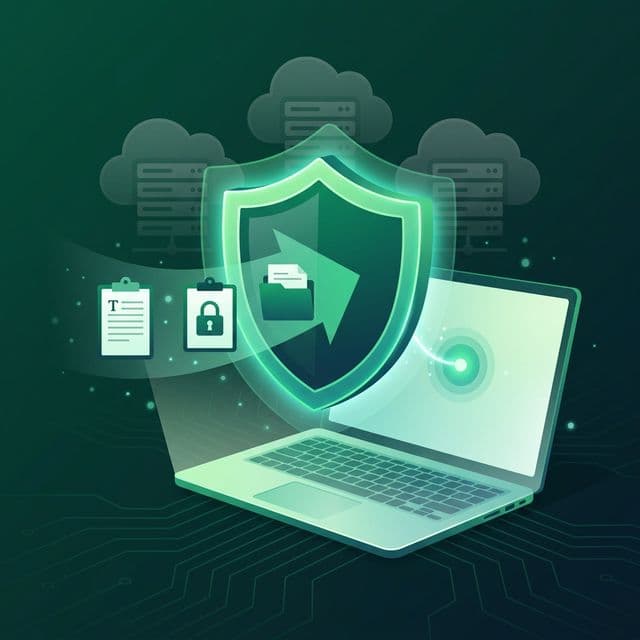
Every time you copy a password, a bank account number, a private message, or an API key, that data lands on your clipboard. Now imagine that clipboard is synced to a cloud server you don't control, managed by a company whose privacy policy you've never read, stored in a data center that could be breached tomorrow. That's not a hypothetical. It's the reality for millions of users who rely on cloud-first productivity tools without questioning where their data actually lives.
In 2024 alone, over one billion personal records were stolen in data breaches. The National Public Data breach exposed information on 2.9 billion records linked to 1.3 billion individuals. AT&T lost call records for nearly all of its customers — around 110 million people. Change Healthcare's ransomware attack compromised over 100 million medical records and cost UnitedHealth Group an estimated $2.87 billion. These aren't small startups with weak security. These are some of the largest, best-funded organizations on the planet.
There's a better way to build software — one that keeps your data on your device, works without an internet connection, and doesn't depend on any company's servers staying online. It's called local-first software, and it's quietly reshaping how developers and privacy-conscious users think about the tools they rely on every day.
What Is Local-First Software?
The term "local-first" was coined in a landmark 2019 research paper by Martin Kleppmann, Adam Wiggins, Peter van Hardenberg, and Mark McGranaghan at the Ink & Switch research lab. The paper, titled Local-First Software: You Own Your Data, in Spite of the Cloud, laid out a vision for applications that treat the copy of data on your local device as the primary copy, with cloud servers holding secondary copies only to assist with syncing between devices.
This is a fundamental inversion of how most modern software works. In a typical cloud-first app — Google Docs, Notion, Figma — the server holds the "real" version of your data. Your device merely displays a view of what the server provides. If the server goes down, you can't work. If the company shuts down, your data could vanish. If the company changes its terms, you have no recourse. Local-first software flips this model: your device is the source of truth, and the network is an optional enhancement.
“We believe that data ownership and real-time collaboration are not at odds with each other. It is possible to create software that has all the advantages of cloud apps, while also allowing you to retain full ownership of the data.
— Martin Kleppmann et al., Ink & Switch — Local-First Software (2019)
The Seven Ideals of Local-First Design
The Ink & Switch paper defined seven ideals that local-first software should aspire to. These aren't just technical requirements — they represent a philosophy about the relationship between users and the tools they depend on.
- Fast. Because data is read from and written to the local disk, operations respond near-instantly. No waiting for a server round-trip to save your document or load your history.
- Multi-device. Your data should be available across all your devices — laptop, phone, tablet — without being locked to a single machine.
- Works offline. You should be able to read and modify your data at any time, even without an internet connection. Airplane mode shouldn't mean downtime.
- Collaboration. Local-first doesn't mean isolated. The best local-first apps support real-time collaboration that's on par with cloud-native tools, using technologies like CRDTs (Conflict-free Replicated Data Types).
- Longevity. Your data should remain accessible indefinitely — even if the software company goes out of business. Standard file formats and local storage ensure your data outlives any single product.
- Privacy. When data doesn't leave your device, there's nothing to intercept, no server to breach, and no third party reading your information. Local-first apps use end-to-end encryption when syncing is needed.
- User control. No company should be able to restrict what you do with your own data. No sudden policy changes, no feature gates, no account suspensions that lock you out of your files.
Not every local-first app needs to satisfy all seven ideals perfectly. But these principles provide a north star for building software that genuinely serves its users rather than extracting value from them.
Why Cloud-First Has Become the Risky Default
The cloud offers genuine convenience: automatic backups, seamless collaboration, access from any browser. But that convenience comes with costs that most users never see — until something goes wrong.
Breaches Are Accelerating, Not Slowing Down
The numbers are staggering. In 2024, 72% of all data breaches involved data stored in the cloud, according to IBM's Cost of a Data Breach report. The average cost of a cloud breach reached $5.17 million. Year-over-year, significant cloud breaches surged by 154%, with 61% of organizations reporting major cloud security incidents in 2024 compared to 24% the year before. New and unattributed cloud intrusions increased 26% year-over-year, meaning more attackers are targeting cloud infrastructure than ever.
The so-called "Mother of All Breaches" discovered in January 2024 aggregated 26 billion records from past breaches into a single exposed database — email addresses, passwords, phone numbers, and other sensitive details, all accessible through an unsecured server. The Snowflake breach in May 2024 compromised over 100 customer organizations, including Ticketmaster (560 million records), AT&T, and Santander Bank, all through a single compromised employee credential.
Think about what you've copied in the last 24 hours: passwords, email addresses, phone numbers, code containing API keys, personal messages, financial details. If your clipboard manager syncs to the cloud, all of that is sitting on someone else's server. A single breach could expose the most sensitive data you handle daily.
Services Shut Down Without Warning
Even without a breach, cloud-dependent software carries another risk: the service can simply disappear. Google alone has killed over 290 products and services, according to the Killed by Google tracker. Google Domains, a nine-year-old registrar, was sold off. Google Cloud IoT Core was retired. Google Optimize, an eleven-year-old analytics tool, was shut down. Each time, users had to scramble to migrate or lose their data entirely.
In May 2024, Google Cloud accidentally deleted the entire account of UniSuper, an Australian pension fund managing $135 billion in assets for 647,000 members — including all backups stored on the service. Full restoration took nearly two weeks. If one of the world's largest cloud providers can accidentally erase a major customer's data, what does that mean for the average user relying on a smaller SaaS product?
Users Are Losing Trust
Public awareness is catching up. Cisco's 2025 benchmark study found that 64% of respondents worry about sharing sensitive information with generative AI tools, yet nearly half admit to doing it anyway. A broader survey found that 62% of people feel they have become the product — that their data exists primarily to benefit the companies collecting it, not themselves. In Europe, regulators have issued 2,245 GDPR fines totaling 5.65 billion euros since 2018, with 2025 alone accounting for 2.3 billion euros, a 38% year-over-year increase. The regulatory environment reflects what users already feel: their data isn't being handled responsibly.
Local-First Doesn't Mean Feature-Poor
One of the biggest misconceptions about local-first software is that choosing privacy means sacrificing functionality. The opposite is often true. Because local-first apps read and write data on your device's disk rather than waiting for server responses, they tend to be dramatically faster than their cloud-first counterparts.
Linear, the issue tracker that's rapidly replacing Jira at startups and tech companies, is a textbook example. Linear loads all issues into memory on startup and stores them locally. Searching issues takes effectively 0ms because it's filtering a local JavaScript array, not querying a remote database. That speed is their primary competitive advantage. Obsidian, the note-taking app, saves all notes as plain Markdown files on your local filesystem. You can open, edit, and search your entire knowledge base in airplane mode. Your notes are yours — standard files you can back up, version-control, or migrate to any other tool. Companies that adopt local-first architecture report 40-60% faster load times and higher user satisfaction.
These aren't niche tools for privacy enthusiasts. Linear, Obsidian, and other local-first apps are used by millions of people every day. They prove that local-first design is not a compromise — it's a competitive advantage.
At the first-ever Local-First Conference in May 2024, Martin Kleppmann noted that the original essay focused on end-user benefits, but the benefits to app developers are perhaps equally significant: no backend engineering team needed, no 24/7 on-call rotations, and much simpler application architecture. Local-first can mean fewer moving parts, not more.
Your Clipboard: The Most Intimate Data Stream on Your Computer
Of all the data flowing through your computer, your clipboard is arguably the most sensitive. It's a rolling feed of everything you interact with: passwords you copy from a password manager, credit card numbers, private messages, code containing secrets, addresses, medical information, and more. Unlike browsing history, which captures where you've been, your clipboard captures what you've actively selected and handled.
A cloud-synced clipboard manager sends all of this to a remote server. Even with encryption, that data is now subject to the provider's security practices, their employees' access controls, their compliance with government data requests, and their ability to withstand a breach. Every link in that chain is a potential point of failure that simply doesn't exist when data stays on your device.
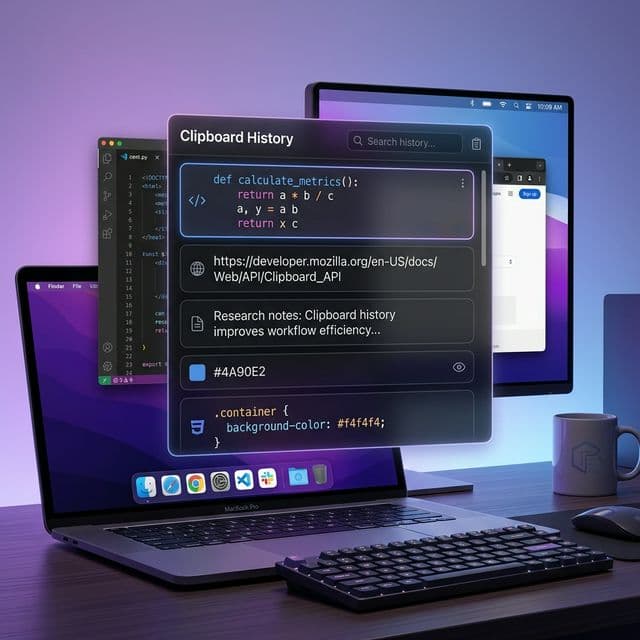
This is why we designed Recopy as a local-first clipboard manager from the ground up. Every item you copy is stored in a local SQLite database on your Mac. There are no cloud servers, no user accounts, no analytics on your clipboard content, and no network requests of any kind. Your clipboard history — all 50,000 items of it — lives exclusively on your machine.
How Recopy Embodies Local-First Principles
Recopy was built with the seven ideals of local-first software as a design guide. Here's how each principle manifests in practice:
- Fast. Clipboard monitoring runs at a 500ms polling interval. Search uses a 300ms debounce for real-time filtering across your entire history. All reads come from the local database — there's no server latency.
- Works offline. Recopy has no internet dependency whatsoever. It works identically whether you're connected to Wi-Fi, on a plane, or in a bunker without cell service.
- Longevity. Your data is stored in a standard SQLite database in your Application Support folder. Even if Recopy ceased to exist tomorrow, your data is accessible with any SQLite client.
- Privacy. Zero network calls. Zero telemetry. Zero data collection. Your clipboard data never leaves your Mac.
- User control. You decide your retention period, your maximum item count, and which content types to capture. You can export or delete your data at any time. No subscription gating, no feature lockouts.
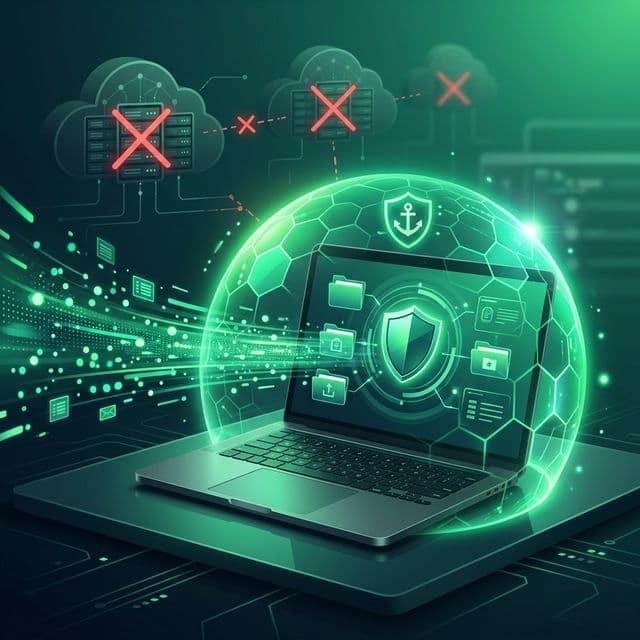
This isn't privacy as a marketing bullet point. It's privacy as an architectural guarantee. There is no code path in Recopy that transmits clipboard data to any server, because no such code exists. The absence of cloud infrastructure isn't a limitation we chose — it's a security feature we designed.
The Privacy-by-Architecture Advantage
The privacy world distinguishes between privacy by policy and privacy by architecture. Privacy by policy means a company promises not to misuse your data. Privacy by architecture means the system is built so that misuse is structurally impossible. Policies can change — architecture can't be quietly updated in a terms-of-service revision.
When a clipboard manager stores data only on your local device, there is no database for hackers to breach, no API endpoint to exploit, no employee who can access your clipboard history, and no government subpoena that can compel the company to hand over data it doesn't possess. The attack surface is reduced to your physical machine — something you already secure with FileVault encryption, your login password, and physical possession.
This approach aligns with where the broader software industry is heading. In 2026, privacy regulators increasingly expect privacy by design — building data protection into how features, APIs, and systems are constructed, rather than bolting it on as an afterthought. Local-first software doesn't just meet this standard; it exceeds it by eliminating the data flows that create risk in the first place.
Making the Shift to Local-First Tools
You don't have to replace every cloud tool you use overnight. The local-first approach works best when applied to the tools handling your most sensitive data. Start with the areas where privacy matters most:
- Clipboard managers — Your clipboard touches everything you do. A local-first clipboard manager like Recopy ensures that stream of sensitive data stays on your device.
- Note-taking — Tools like Obsidian store notes as local files, giving you full ownership and portability.
- Password managers — Options like KeePass store your vault locally, with cloud sync as an opt-in choice you control.
- Code editors — VS Code, Zed, and other local-first editors keep your projects on disk where they belong.
The common thread is data sensitivity. For collaborative documents and public wikis, cloud-first might be fine. For your passwords, clipboard history, private notes, and source code, local-first isn't just better — it's the responsible default.
Own Your Data Before Someone Else Does
The local-first movement isn't about rejecting the internet. It's about recognizing that convenience and privacy are not mutually exclusive. You can have fast, feature-rich, beautifully designed software that keeps your data exactly where it belongs — on your device, under your control.
Every day, your clipboard handles dozens of sensitive items: passwords, personal messages, financial data, proprietary code. Every one of those items deserves the protection that only local-first architecture can guarantee. No server to breach. No terms of service to change. No company standing between you and your own data.
Recopy is a clipboard manager built on this conviction. Everything stays on your Mac — fast, private, and entirely yours. Because in a world where a billion records can be stolen in a single year, the safest data is the data that never leaves your device.